🤔 Why
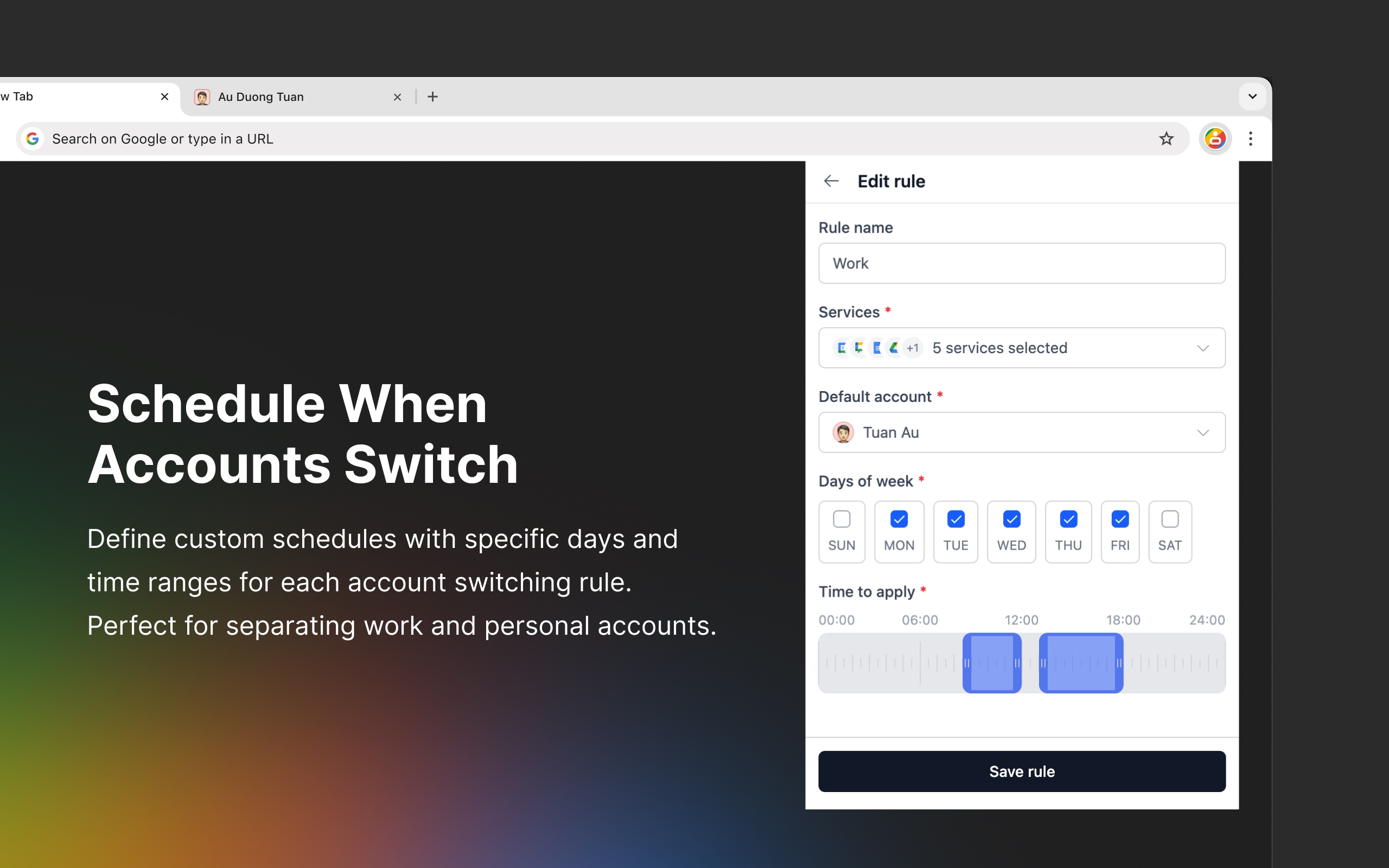
As I mentioned in my recent blog post about my productivity setup, I was constantly juggling between my work and personal Google accounts throughout the day. For example, I needed Gmail, Meet, and Google Chat to automatically use my work email during business hours (9-5), then switch to my personal account after work. I couldn't find an existing extension that fit my needs, so I built one myself—such a fun experience!
🔍 Try it out
- Chrome:
 Google Accounts Autopilot - Chrome Web Store
 - Firefox:
Google Accounts Autopilot – Get this Extension for 🦊 Firefox (en-US)
If you find it helpful, I'd really appreciate your feedback and a ⭐️⭐️⭐️⭐️⭐️ review! Your experience will help me continue improving the extension and make it even more useful for everyone.
✨ Key Features:
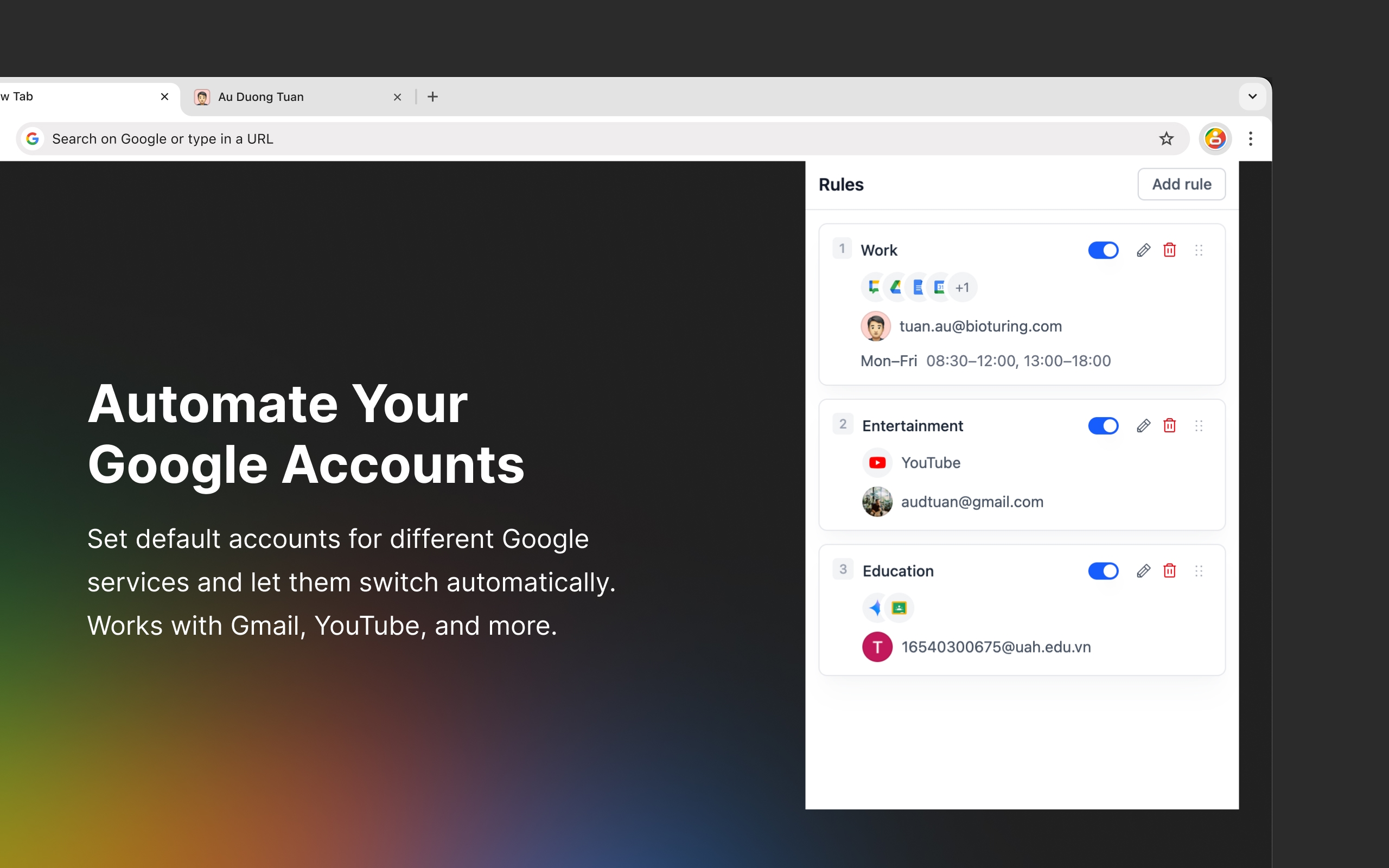
- Automatic Google account switching based on your schedule.
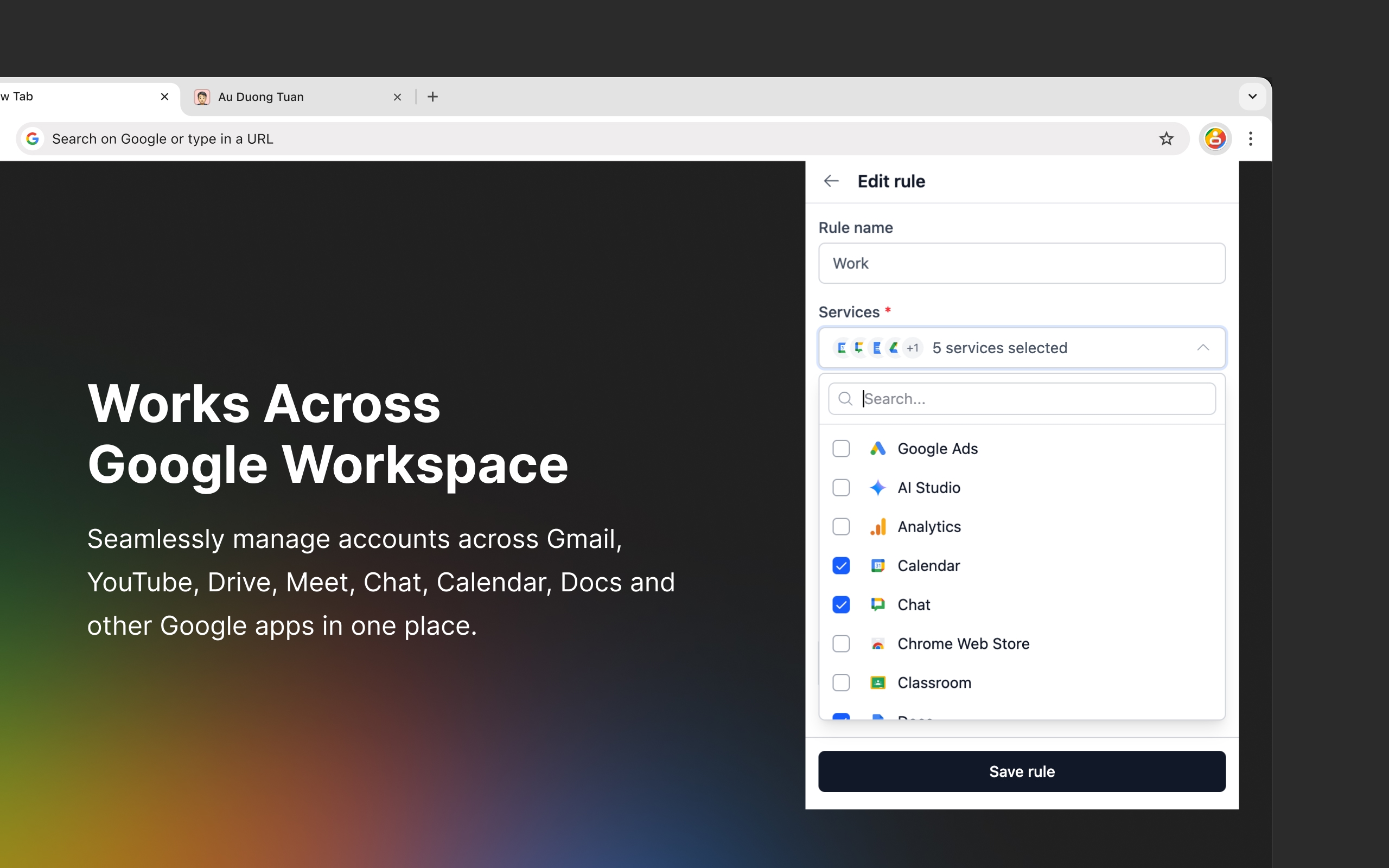
- Custom defaults for different Google services.
- Rule order: supports prioritization when rules conflict.
- Support for most Google services, including Gmail, Drive, YouTube, Meet, and more.
- Privacy-focused: runs entirely in your browser with minimal permissions required.
🛠️ Behind the scene
Building this extension was an exciting learning experience. I used the following tech stack with the help from Windsurf and Claude Code:
- Vue 3 + TypeScript
- TailwindCSS
- Chrome/Firefox Extension APIs
- Manifest V3
This project gave me an opportunity to explore Vue 3 for the first time. One of the more challenging features I built was a custom time range selector component with smart-positioning tooltips, precision snapping, and logic that automatically merges overlapping ranges for a seamless user experience.
After the initial release, I gathered user feedback and released an update in August with several improvements: rule toggles (disable without deleting), drag-and-drop priority ordering (useful when you have overlapping services across multiple rules), and better performance with a smarter redirection mechanism.